
Graphical User Interface (GUI)#
In addition to the command-line interface and Python API, the Paidiverpy package provides a graphical user interface (GUI) that allows users to interactively design and run image processing pipelines without writing code. The GUI is built using the panel library and runs in a web browser.
Installing Panel#
To use the GUI, you need to install the panel package. You can install it using pip:
pip install panel
Launching the GUI#
Once panel is installed, you can launch the GUI with the following command:
paidiverpy -gui
This command will start a local server and open the GUI in your default web browser.
Overview of the Paidiverpy GUI#
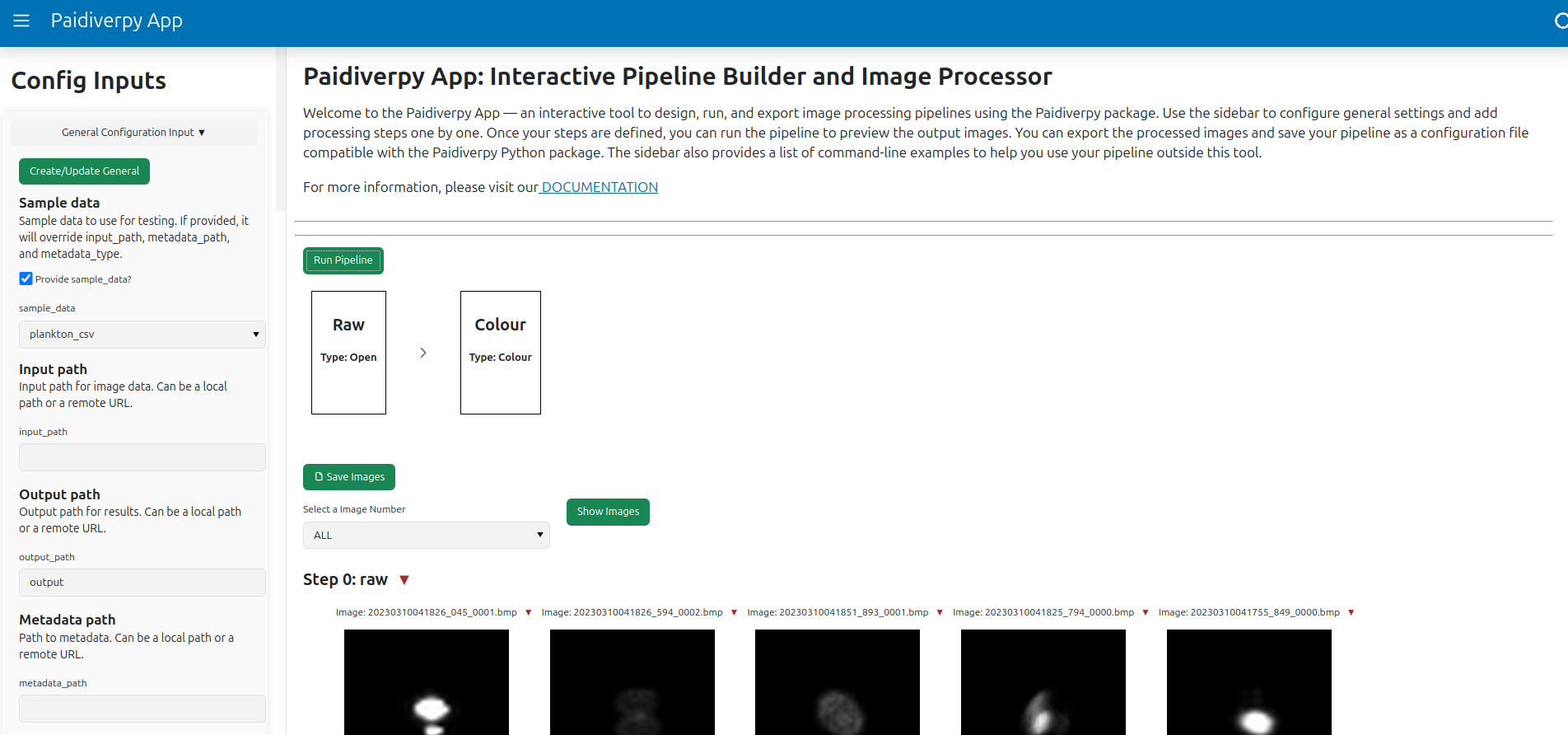
The Paidiverpy GUI is an interactive tool for creating, running, and exporting image processing pipelines. It offers a user-friendly way to explore the capabilities of the package and visualize the effect of each processing step.
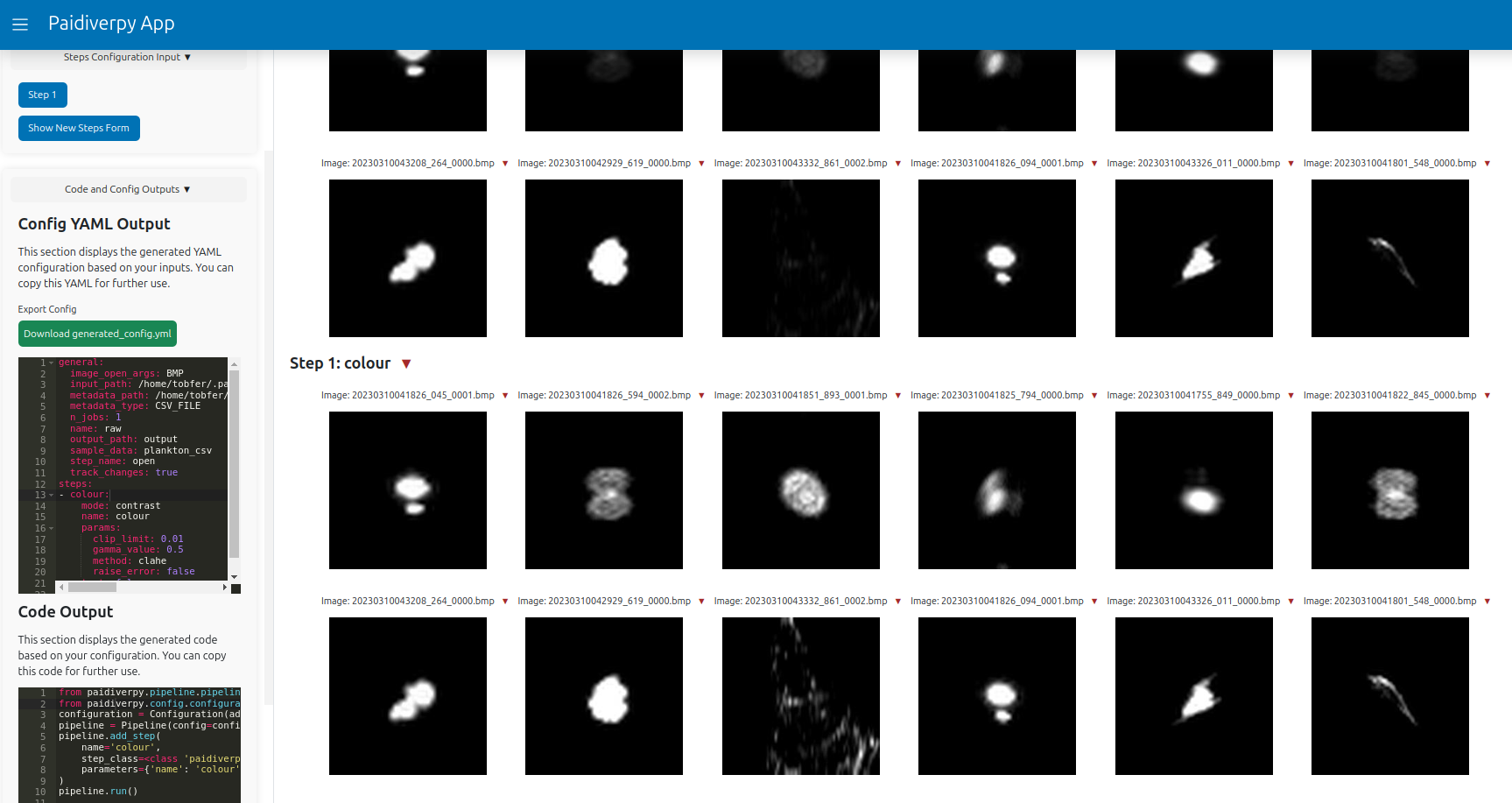
You can use the app to: - Configure general settings. - Add and edit processing steps. - Preview the output of each step. - Export processed images. - Save your pipeline configuration as a YAML file. - Generate python command examples for running the same pipeline outside the GUI.
Main Components#
The GUI is organized into three main sections:
Sidebar: - Configure general pipeline settings. - Add processing steps and edit parameters. - Export the pipeline configuration to a YAML file. - View command-line equivalents for running the pipeline outside the GUI.
Pipeline View: - Visualize the list of processing steps. - Run the full pipeline. - Preview output images for each processing step.
Image Viewer: - Display input and processed images. - Select specific image indices to view them in higher resolution.
Note
The GUI is intended to be intuitive and accessible, especially for users who prefer a visual workflow. It is ideal for rapid prototyping and experimentation. However, the GUI may not expose all advanced features available in the command-line interface or Python API. For complex use cases and custom logic, we recommend using those interfaces.